Canada passport photo maker: 50×70 mm, checked in your browser
Crop to the Canadian 50 × 70 mm format and check the 31–36 mm face-height rule. Use the digital download for online photo uploads. Read the print note below before you print.
1 Choose your document
Output: . Requirements last checked November 2026 against official guidance and may change; confirm on the issuing agency’s site.
2 Add your photo
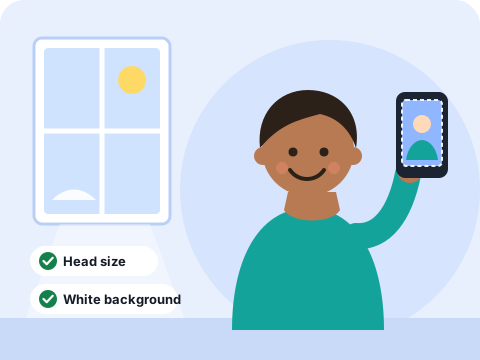
- Face a window, with a plain light wall behind you
- Camera at eye level, a few feet away
- Neutral expression, mouth closed, eyes open
- Whole head and both shoulders in the shot
Canada passport photo requirements at a glance
| Photo size | 50 × 70 mm (2 × 2¾ in) |
|---|---|
| Face height | 31–36 mm, chin to crown |
| Background | Plain white (digital); plain light colour for prints |
| Printed copies | Two identical, unaltered photos; the IRCC page asks you to use a commercial photographer or studio |
| Digital photo | Larger pixel range than most countries; use 900 DPI or higher |
Requirements last checked November 2026. This site is not a government service and is not affiliated with any passport agency, embassy or retailer. The checks are guidance, not a guarantee of acceptance.
How to take a good passport photo at home
- Stand facing a window in daylight, with a plain light wall behind you. Keep a couple of feet between you and the wall to avoid shadows.
- Hold the camera at eye level and a few feet away, not close up. Close-up phone photos distort your face. You can zoom in afterward.
- Look straight at the lens with a neutral expression, mouth closed, eyes open, and your whole head and shoulders in the shot.
- Upload it above. Auto-fit places your head, then you can nudge it, remove the background and read the checklist.
Questions
Can I print my own Canadian passport photos?
For paper applications, Canada asks for photos from a commercial photographer or studio, usually with the studio’s details on the back. A home print may be rejected. This tool is best for the digital photo option and for checking composition. Confirm your route on the IRCC website.
What size is a Canadian passport photo?
50 mm wide by 70 mm high (2 × 2¾ inches), with the face measuring 31–36 mm from chin to crown.
Is my photo uploaded anywhere?
No. Cropping, face detection, background removal and the print sheet all run inside your own browser. Your photo is never sent to our servers or anyone else’s. The first time you use background removal, your browser downloads a cut-out model (about 26 MB) from this site; it does not send your photo anywhere, and your browser keeps the model for next time.
Is it really free?
Yes. There is no account, no watermark, no trial and no subscription. The site is supported by advertising.
Will my photo be accepted?
We can’t promise that, and no tool honestly can. The checklist measures head size, eye height, centering, tilt, resolution and background against the published rules, and tells you what looks off. The agency makes the final decision, so read its official page too. Things the tool can’t judge, like expression, glasses glare and shadows, are yours to check.
Is it OK to remove the background?
Some agencies say a photo must not be digitally altered. The safest photo is one taken against a plain light wall. Use background removal to even out an almost-plain backdrop, and skip it if your agency is strict about editing. Check hair edges after removal.
How do I print the photos?
Download the print sheet (JPEG) and upload it to the photo-print section of Walgreens, CVS or Walmart for same-day pickup, or print the PDF at actual size on real photo paper at home. See the steps on our print guide.
Does it work on my phone?
Yes. Use “Take a photo” on your phone or upload one from your gallery. Drag to move the photo and pinch to zoom.